
idocument4u
The best document issuing tool!

Powerful and easy to use tool, and comes with a detailed user guide and multiple comprehensive videos.
DIY approach. Just follow few steps and enjoy unlimited documents!
1- Setup Your Forms
One Time Task
Start by following a few one-time straightforward steps, explained inside the User Guide and the detailed help video, to add data tags to your forms. Save the forms locally.
Note: No forms upload to third-party servers; all processing occurs locally on your device.
2- Setup Excel Sheet
Follow idosuments4u simple steps, explained inside the User Guide and the detailed help video, to create the ‘iDOCUMENTsheet’ sheet.
Use the created ‘iDOCUMENTsheet’ Excel sheet as a data entry interface to generate various documents for different clients.
If you are already using Excel to organize your business, you can easily add ‘iDOCUMENTsheet’ tab to your client related Excel workbook, and link data across tabs to eliminate data entry.
TIP: If your data is saved inside database system, you can develop a small module to generate Excel sheet compatible with ‘iDOCUMENTsheet’ structure with data loaded directly from the database to achieve complete integration with idocument4u.
Note: For wider compatibility, we will be releasing idcoument4u JSON version soon.
3- Issue Document
OneClick
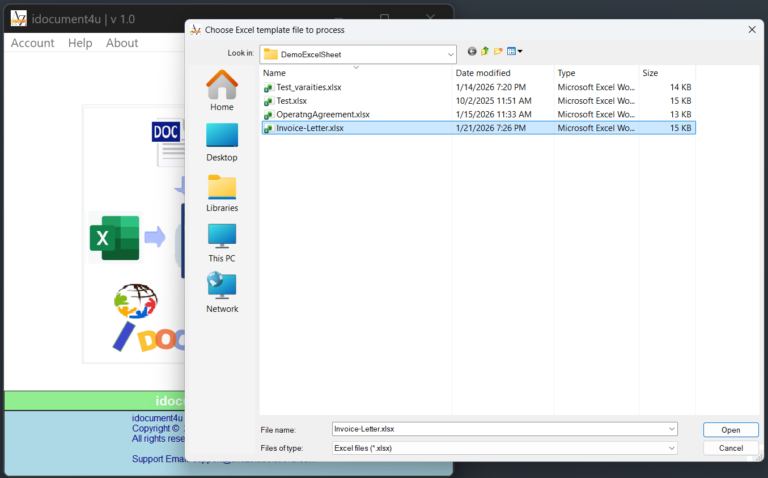
Launch idocument4u and select the appropriate Excel sheet for the document. Click on issue document. idocument4u will prepare and open the document for you. Review the generated document then save locally as needed.
Best Value!
No Compromise. You get all the functionalities for a fractions of the competitors price.
Monthly Plan
$4.99/m
Pay as you go!
Yearly Plan
$49.99/y
Save 2 months!